The Directure platform

Everything you need to plan a production.

From script breakdowns and storyboards to shooting plans, schedules, budgets, and production updates — keep your workflow connected in Directure.

01Script analysis and breakdown

Start with the script.

Upload your screenplay and turn it into a structured breakdown of scenes and production requirements.
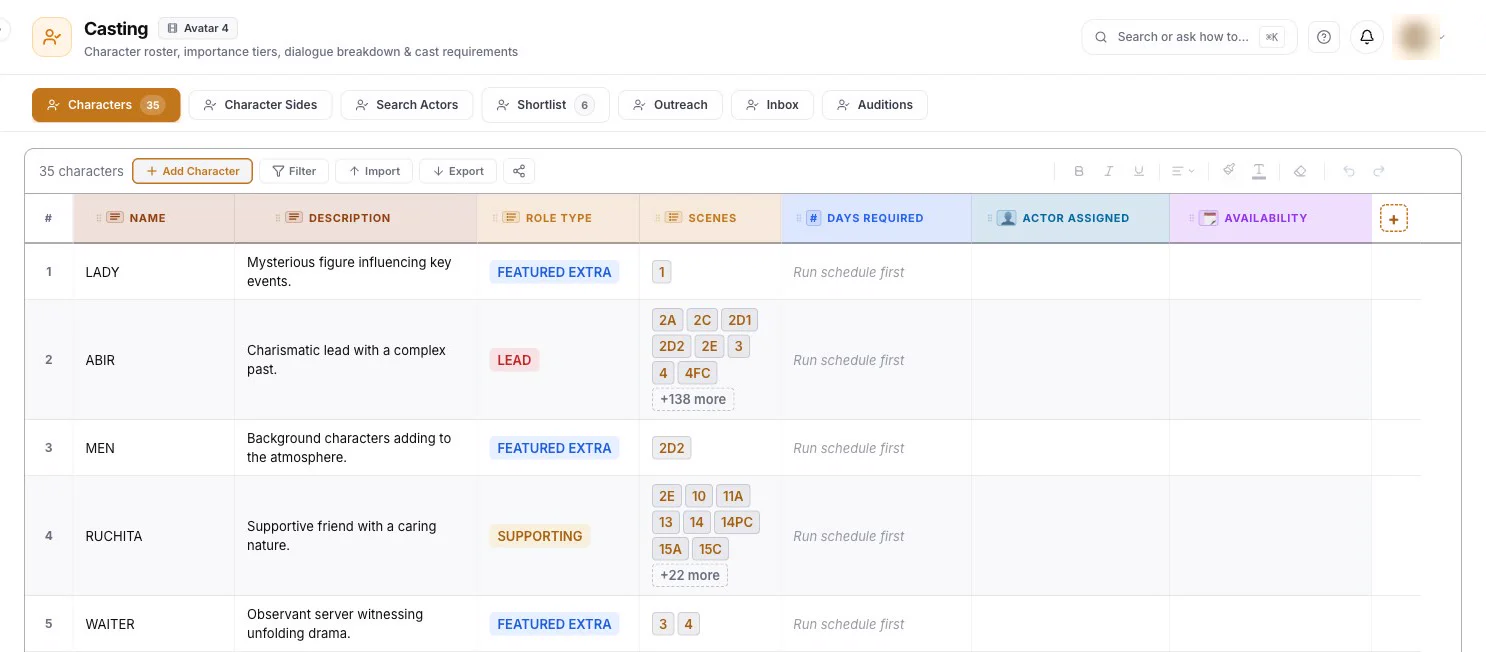
Casting: every character in the script with description, role type and the scenes they appear in
  • Review scenes, characters, and story structure.
  • Explore creative ideas and possible improvements.
  • Identify locations, props, costumes, and other requirements.
  • Organize the information your team needs to plan production.
02AI storyboarding and shot planning

See the film before you shoot it.

Visualize scenes, explore camera angles, and plan the shots needed to tell the story.

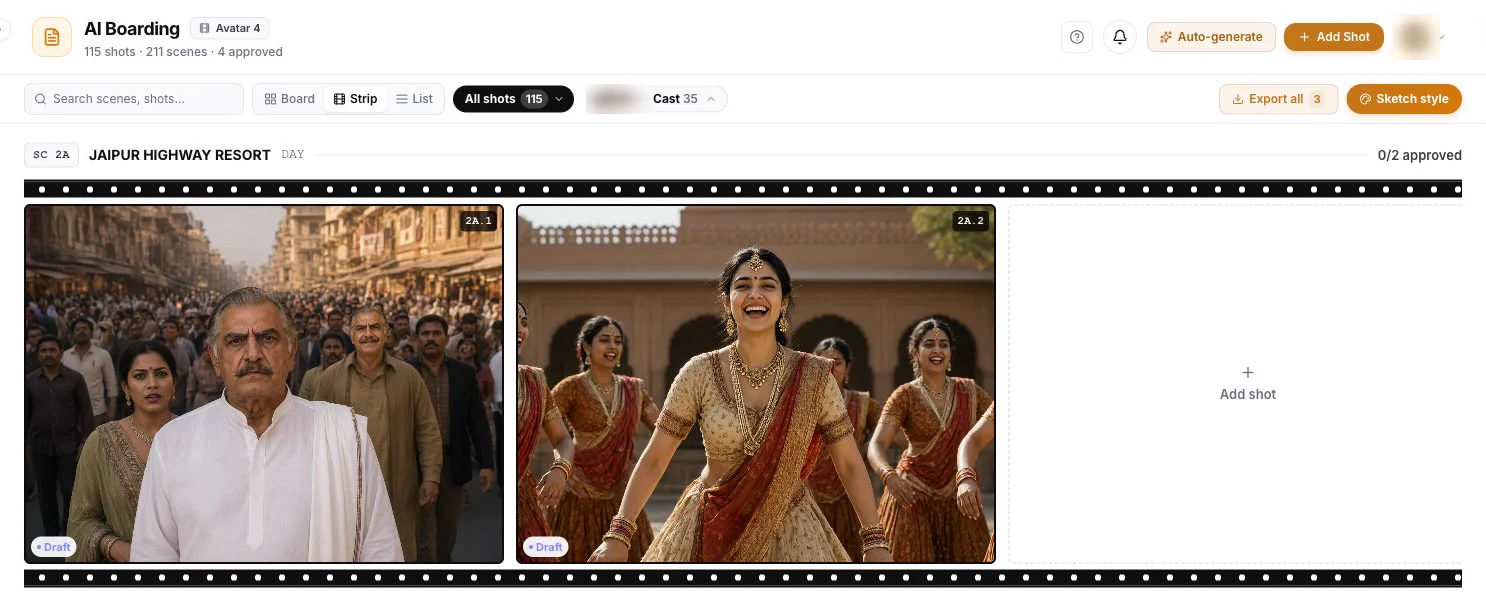
AI Boarding strip view: a scene's shots as full frames
  • Create visual references for individual shots.
  • Explore different ways to stage a scene.
  • Connect shots to the script and scene breakdown.
  • Give your team a clearer visual plan before filming.
03Hybrid production planning

Decide how each shot should be made.

Plan a combination of practical filming, studio work, AI-generated elements, and VFX.

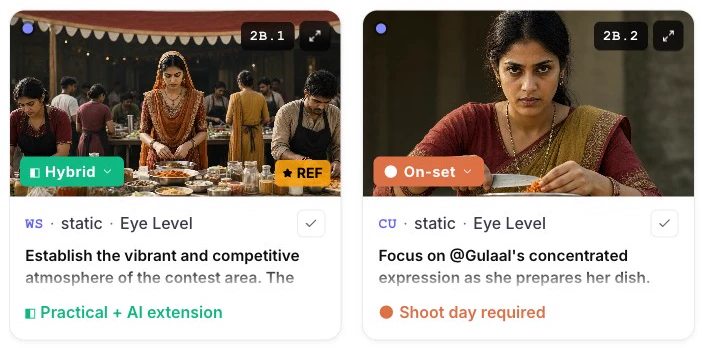
AI Boarding: each shot marked with how it will be made, a hybrid of practical filming and AI, or filmed on set
  • Identify shots that need real locations and actors.
  • Plan green-screen and virtual-production requirements.
  • Identify opportunities for AI and visual effects.
  • Map out the resources and post-production work each approach requires.

The goal is to help you choose the right production method for each shot — based on creative needs, time, and budget.

04Scheduling and resource management

Know what needs to happen before the shoot.

Organize your production around scenes, locations, people, and resources.

app.directureai.com/the-last-call/schedule/scheduler
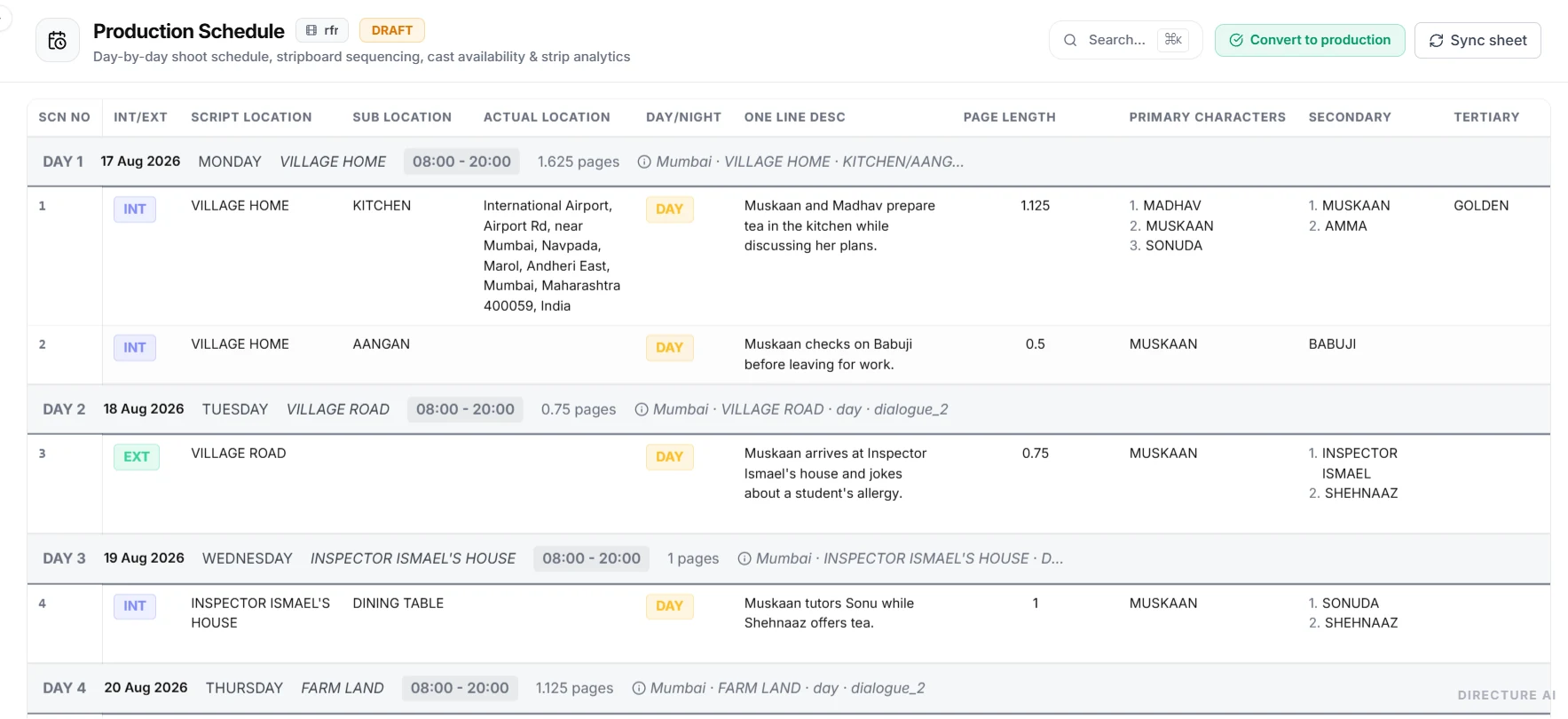
Production schedule sheet with shoot days and scenes
  • Build shooting schedules.
  • Track cast, crew, and location availability.
  • Organize equipment, costumes, props, and art requirements.
  • Prepare call sheets and daily production plans.
  • Identify pending tasks and potential scheduling conflicts.
05Budget and expense tracking

Keep track of where the money goes.

Manage production costs from planning through execution.

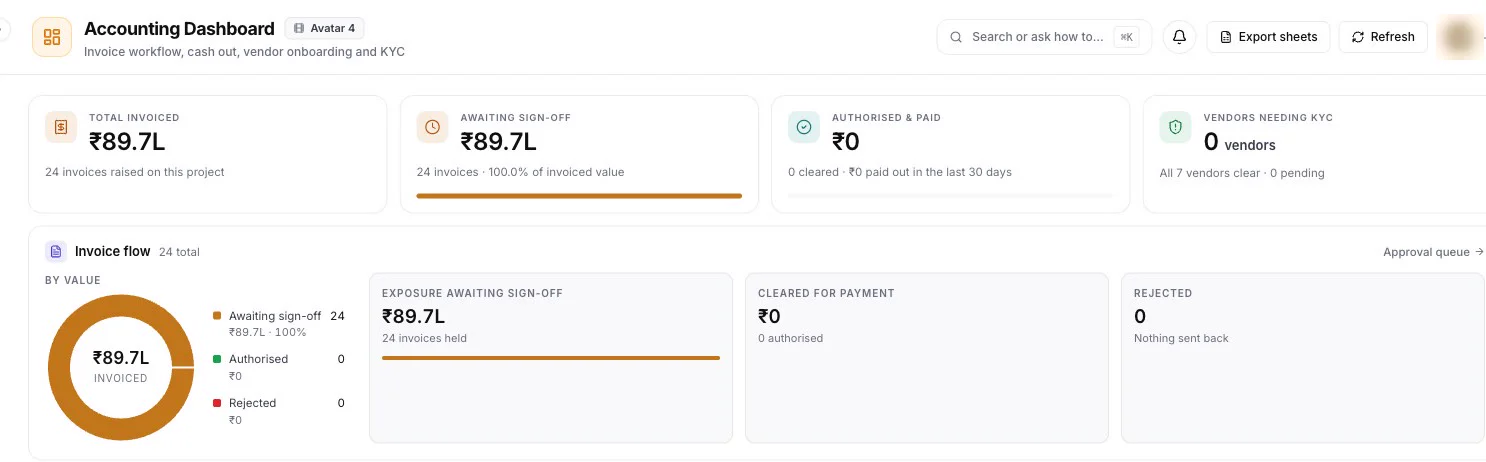
Accounting dashboard: invoiced total, invoices awaiting sign-off and the invoice flow
  • Organize estimated and actual costs.
  • Track vendor quotes, expenses, and invoices.
  • Review costs across departments and production stages.
  • Monitor budget changes as production progresses.
  • Give the team a clearer picture of spending.
06Production management

Keep everyone on the same page.

Give your team a shared view of what's happening across the production.

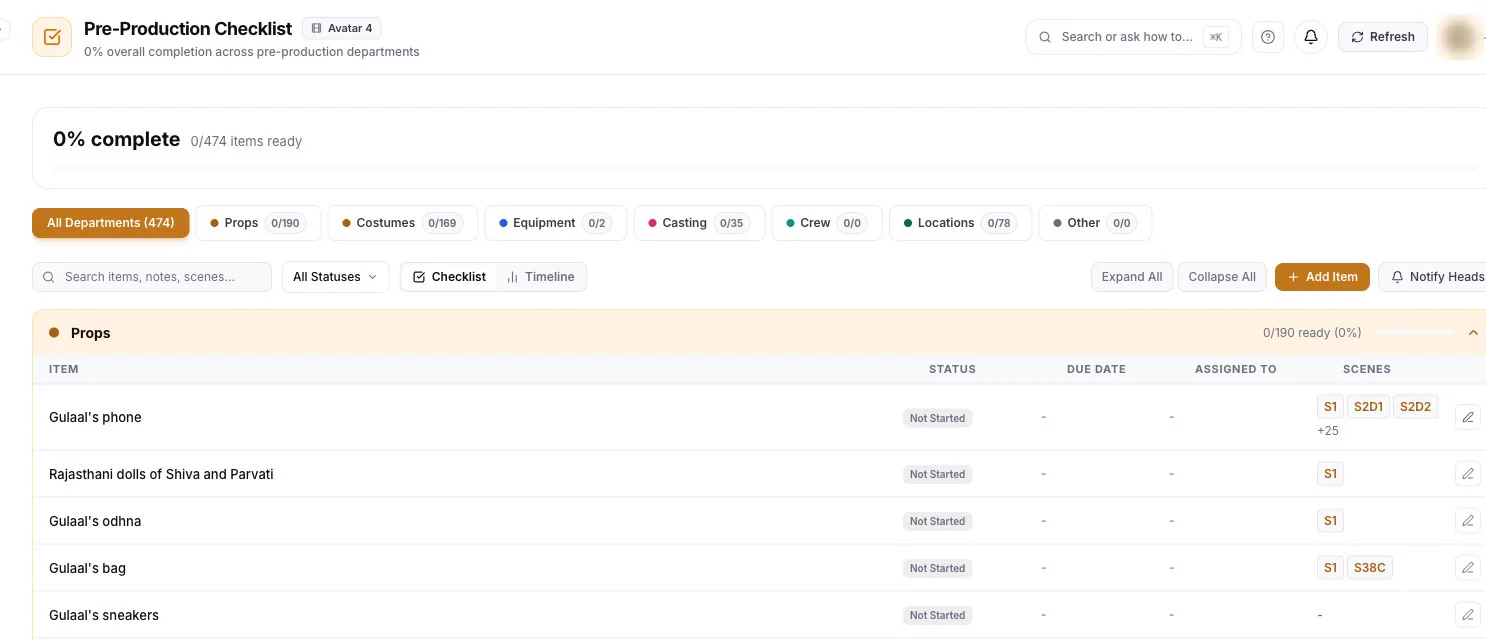
Pre-production checklist: readiness of props, costumes, equipment, casting and locations
  • Review the day's scenes and requirements.
  • Track readiness for locations, costumes, props, and equipment.
  • Flag issues that could affect the shoot.
  • Share production updates and reports.
  • Keep information accessible to the people who need it.
07Post-production workflows

Make the move from shoot to edit easier.

Connect production planning with the work that happens after filming.

  • Organize footage and production information.
  • Find relevant takes and clips more efficiently where supported.
  • Connect footage to the scenes and shots it belongs to.
  • Reduce repetitive work across supported editing workflows.