
Board a scene before you shoot it.
Give us one scene from your script. We hand back a shot-by-shot board with frames, coverage and camera notes, the same way Directure boards a whole feature.
No card required · One free run per tool, per email · Your script is deleted after 7 days
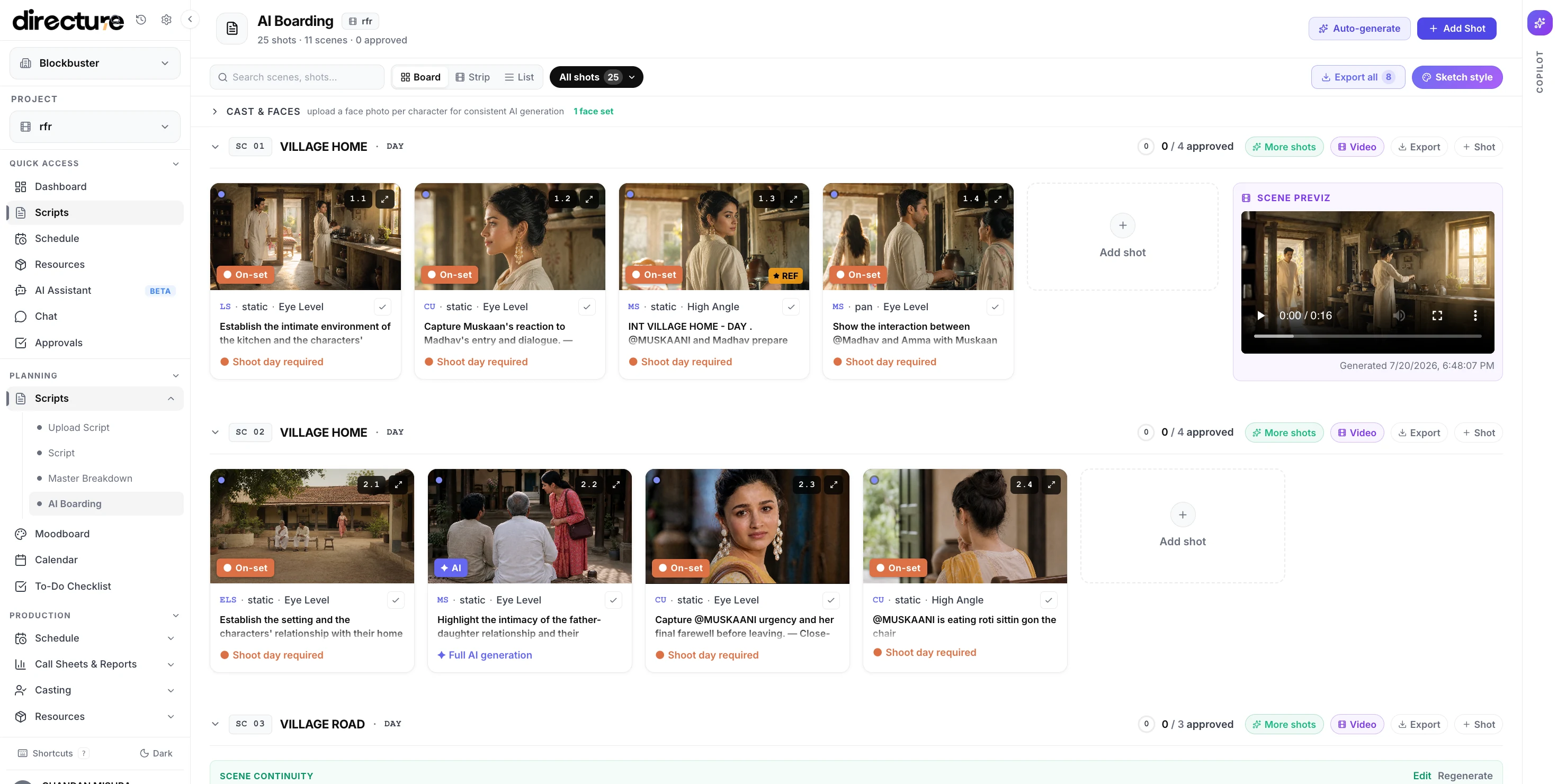
A boarded scene inside Directure. The free run gives you one of these, from your own pages.
Not concept art. Something you can shoot from.
Every beat of the scene broken into numbered shots, in the order you would shoot them.
Generated boards that hold the geography of the scene, not four unrelated pretty pictures.
Size, angle and movement called on each shot, so an AD can read it without you in the room.
How each shot is best made, which is the decision AI Boarding exists to make across a whole script.
Three steps, then close the tab.
- 1Give us one scene
Paste the pages or upload the script and pick the scene you want boarded.
- 2Set the look
A line on tone and reference is enough. The board follows the scene, not a generic style.
- 3We email the board
It takes 20 to 30 minutes, because the frames are actually generated. Close the tab; it will be waiting.
- No card required
- One free run per tool, per email
- Your script is deleted after 7 days
Pick the scene you keep re-explaining.
The one nobody on the team pictures the same way. Board it, send the board, and find out whether you were all imagining the same film.
Board a scene freeNo card required · One free run per tool, per email · Your script is deleted after 7 days
Boarding a whole slate rather than one scene? Book a strategy call and we will show you AI Boarding on your own script.